CloudSoft

CloudSoft ChatBot
GPT Logo

Microsoft 365 Copilot implementation

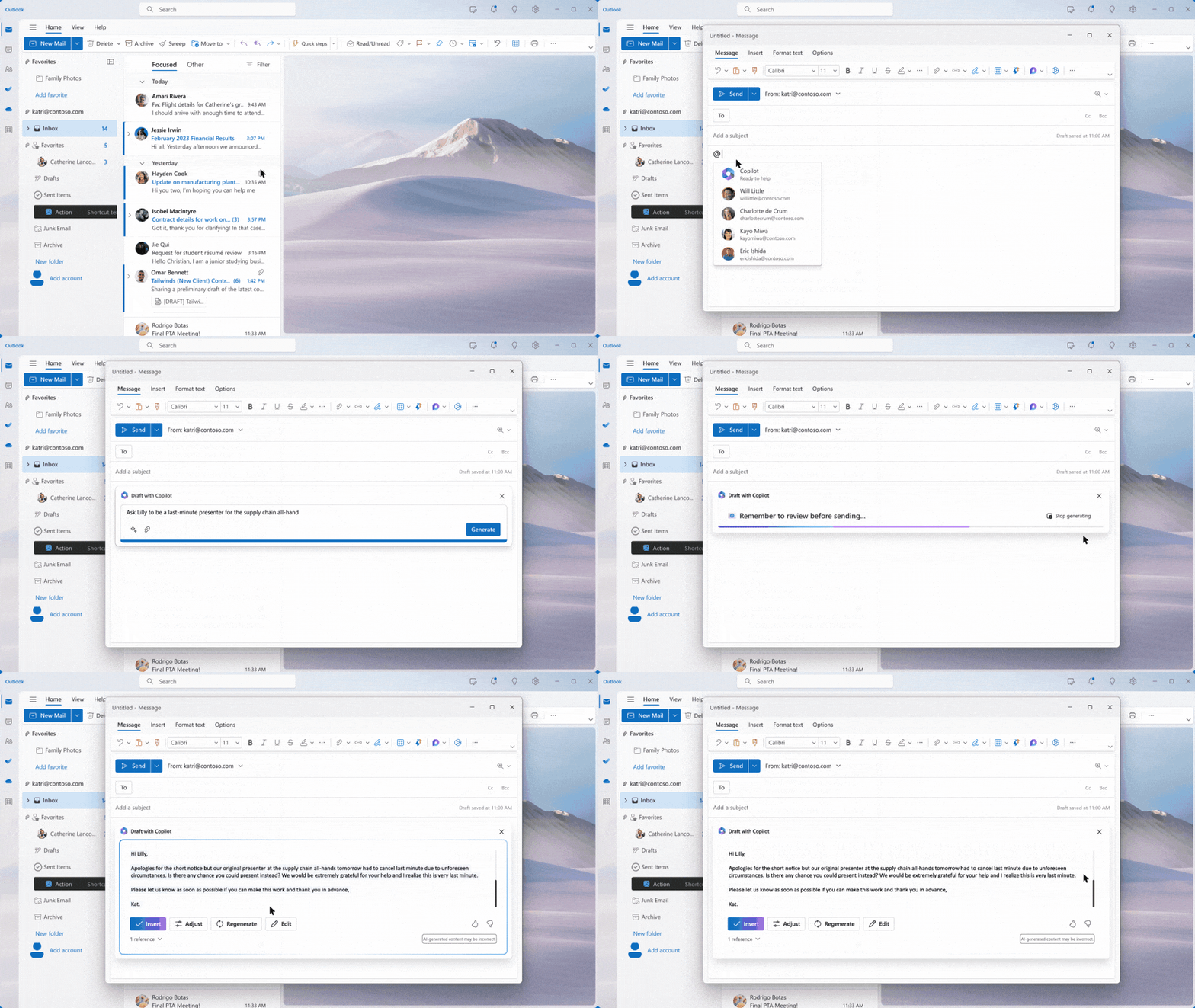
Copilot is an AI-powered assistant integrated into Microsoft 365 applications that helps users by interpreting their instructions, automatically generating content, creating data visualizations, or even suggesting ways to complete various tasks. Discover creative solutions and experience a faster, more efficient way of working!

EUR 7500 + VAT

Interactive training for 10 users.

Delivery time: 1 month

The package does not include Copilot licenses.

Implementation process

Preparation
  1. User interviews to understand different roles, work areas, and expectations.
  2. Through Business Value Analysis, we identify the company’s current business challenges and potential Copilot solutions.
  3. The technology readiness assessment helps define recommended security and data protection settings.
  4. During the Business Value Analysis workshop, we finalize success criteria and the implementation plan.
  1. Configuration of Microsoft 365 Copilot for end users within the M365 tenant.
  2. Evaluation of the technology readiness assessment followed by a review of security and data protection recommendations.
  1. End-user training on the proper use of M365 Copilot (operating principles, Copilot prompting, etc.).
  2. Delivery of training materials, email communication templates, and useful tips for end users.
  3. Demonstration of the built-in Copilot
  4. Dashboard and methods for measuring successful adoption.
    Review of the Copilot user report and discussion of next steps.

Frequently asked questions

Here you can find key information and answers about Copilot, its operation, benefits, and usage.

How secure is Copilot to use?

Copilot operates in accordance with Microsoft’s data protection policies and does not use corporate data for model training. Data privacy and encryption are ensured at the highest level.

Yes, Copilot’s features can be configured within documents based on corporate needs. However, for full customization, Copilot Studio provides the ideal solution.

Copilot is available in Word, Excel, PowerPoint, Outlook, Teams, and Power Platform applications, and it is continuously being integrated into additional Microsoft services.

Copilot is easy to use, but to maximize efficiency, it is recommended that users receive training on the specific features of each application.
Microsoft regularly updates Copilot with new features and improvements to ensure it always remains up to date.

Our YouTube channel

On our channel, you can watch demo-filled presentations and videos covering all the services we offer. (The Videos are all in Hungarian) 

Additional services

Intune implementation

Microsoft Intune is a modern cloud-based device management service that enables companies to securely monitor and protect their devices and data wherever users work. It allows easy management of various devices — including laptops, smartphones, and tablets — while maintaining an optimal balance between data protection and efficiency. Discover the possibilities of Microsoft Intune for your organization!

Microsoft Defender for Endpoint provides advanced, integrated protection for your business, ensuring the security of devices and networks. It is fully configurable, including the setup of web content filtering policies, attack surface reduction rules, and the integration of Android and iOS devices.

Microsoft Azure is a comprehensive cloud platform offering a variety of computing, data storage, and development services to support the digital transformation of businesses and individual users.